
Tools. Work that runs for you.
The first section in the sidebar holds the three things that go beyond a single answer: Research digs through the web and writes a report, Scheduled Tasks runs a prompt for you on a timer, and Deep Video Analyze watches a video and tells you what is in it. They open inside the same workspace, and everything they produce lands in your history like any other conversation.
Research
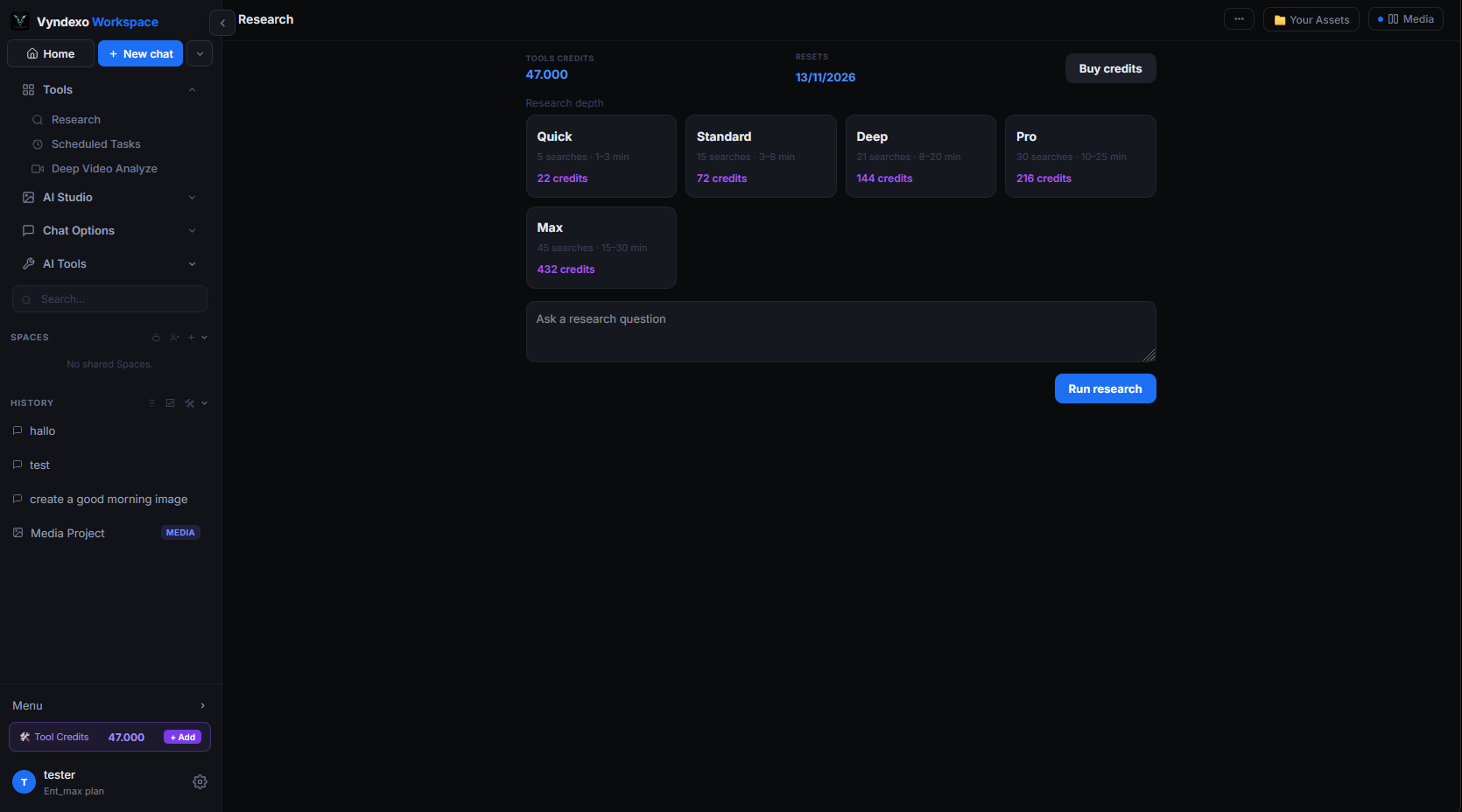
Ask one question and get a sourced report instead of a quick reply. Research breaks your question into searches, reads the pages it finds, cross-checks them and writes up the result with the sources it used — so you can verify every claim.
What it does
Runs multiple web searches, reads the results, and compiles a structured report with headings, findings and links to the sources.
What it's for
- Comparing products, suppliers or competitors
- Getting up to speed on a topic before a meeting
- Checking facts across several sources at once
Good to know
A run takes longer than a normal message because it reads real pages. It is charged in Tools credits; the price is shown before you start, and a run that fails is not charged.
Scheduled Tasks
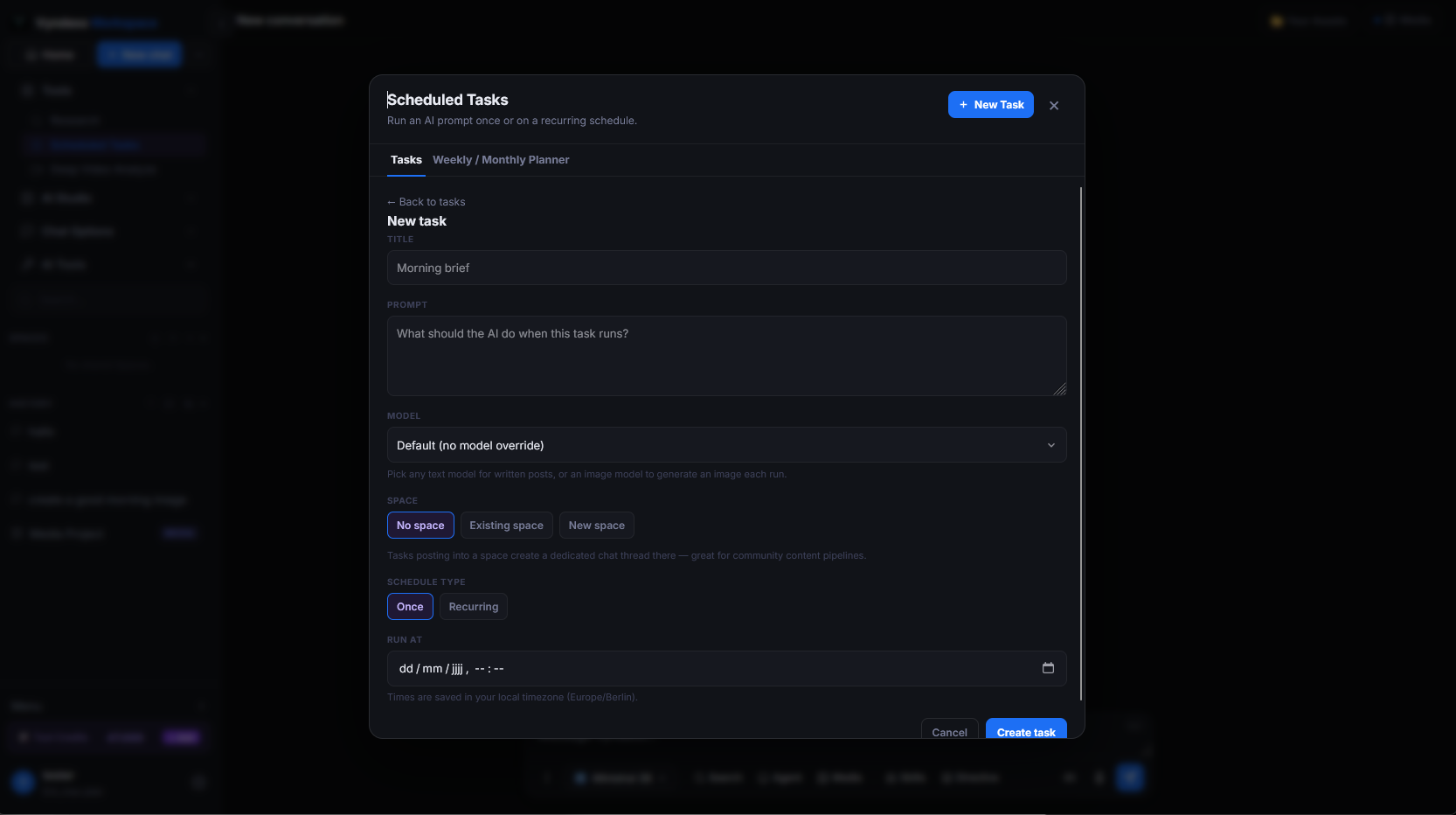
Write a prompt once and let it run on a schedule — every morning, every Monday, or whenever you set. The result is waiting in your workspace when you come back, with the model and options you chose.
What it does
Saves a prompt together with a time or interval, runs it automatically, and files each result as a new conversation in your history.
What it's for
- A daily digest of news on a subject you follow
- Weekly reports or summaries you would otherwise type by hand
- Checking a price, a page or a market at fixed times
Good to know
Each run costs the same as sending that prompt yourself with that model. You can pause, edit or delete a task at any time from the Tools section.
Deep Video Analyze
Give it a video and ask anything about it. Deep Video Analyze goes through the footage and the audio, then answers your questions, writes a summary, or pulls out the moments that matter — with timestamps so you can jump straight to them.

What it does
Analyses a video you upload or link to and returns a summary, key moments with timestamps, and answers to follow-up questions about what was said and shown.
What it's for
- Recorded meetings, webinars and lectures
- Long YouTube videos you don't have time to watch
- Finding one specific moment in hours of footage
Good to know
Longer videos cost more, because the model processes every minute. The price is shown before the analysis starts and is charged in Tools credits.