
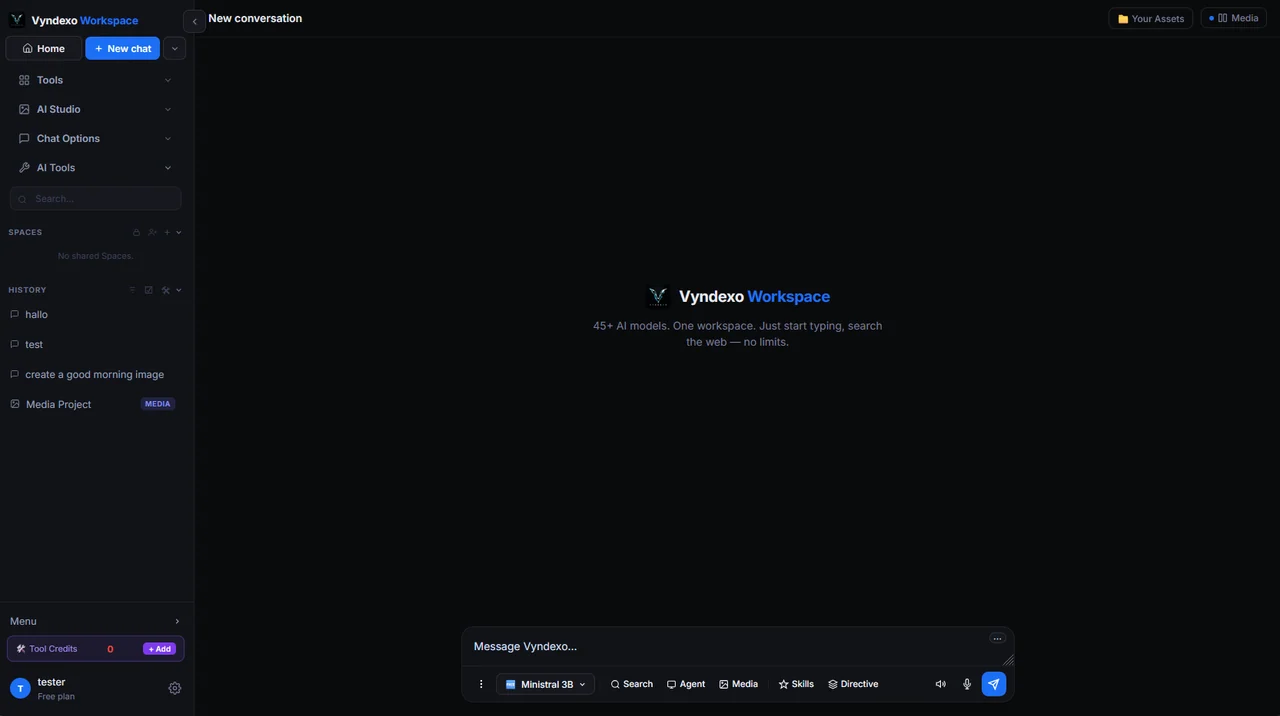
Choose a model, not a separate workspace
Use the model picker to choose from the chat models currently offered in Vyndexo. A writing task, a technical question and a long-form analysis can need different approaches, but the project context should not have to move between unrelated tools.
Model availability and capabilities can change. The live catalogue and the model controls in the workspace are the place to check the current selection, and the pricing page explains the credit bands.
Start a useful conversation
- Open a conversation. State the outcome you want, the intended audience and any constraints. A clear brief is more useful than a long list of disconnected keywords.
- Add relevant context. Attach files or images when the selected model supports them. Tell the model which parts to use and avoid including information the task does not need.
- Choose the right assistance. Use Research when you need web sources, a persona for a consistent role, or the Consult Panel when you want multiple models to examine one question.
- Review and continue. Check factual claims and important decisions. Keep follow-up questions with the same conversation or organize the work inside a Space.
Give repeat work a consistent starting point
Personas help you reuse a tone, role or working style. Spaces bring related conversations and media projects together, including work you share with collaborators. Reusable skills are available for agent workflows when a task needs a repeatable process.
For a normal conversation, stay in chat. When the task requires several actions with code, research or files, the separate Agent mode is designed for that longer workflow.
Questions about AI chat
Can I use more than one AI model?
Vyndexo offers a selection of chat models in its model picker. The Consult Panel is a separate feature for asking two or three selected models to examine the same question.
Does every chat model support files and images?
No. Input types, context limits and other capabilities depend on the selected model. Use the controls that the workspace offers for that model rather than assuming every model has the same options.
How do chat credits work?
Chat and Tools credits are separate balances. The pricing page explains current plans and model bands; the workspace shows the options available to your account.
Bring the work into your workspace.
Check the current model options, review the relevant credits and start with a focused project. Keep the results and the context for the next step.
Open VyndexoExplore all features