
Media Studio
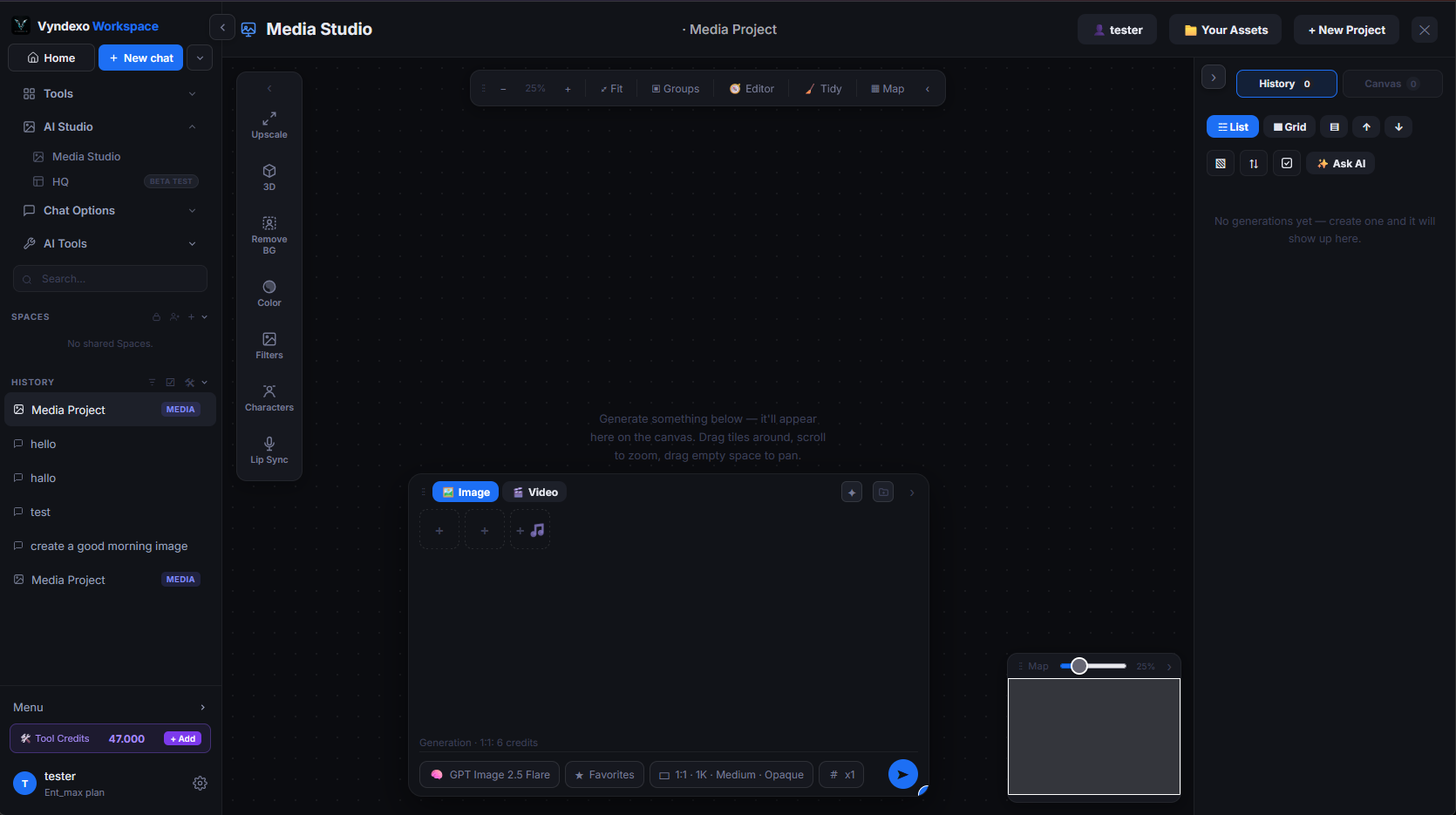
This is the studio with everything open: the media project you can find in your history or in spaces on the left, your assets and generated images on the right, and the generation box in the middle. You choose an image or video model from the same pill you know from the chat, drop in reference images (or a start and end frame for video), set ratio, resolution and quality, and hit generate. By clicking the arrows on the edges of a panel, you can close or minimise it and it will then only show an arrow on the edge of the screen or on the canvas, this way when you need the panel again, you can restore it by clicking on the arrow. You can also move the generation box by clicking the three dots on the upper left corner of it, on the three dots.
What it does
Generates images and videos with 45 image models and 69 video models. One upload control takes images, audio and video; the box grows as you add references and shrinks back when you clear them.
What it's for
- Product shots, social visuals and concept art from a prompt
- Editing an existing image by giving it as a reference
- Short videos from text, from an image, or between a start and an end frame
Good to know
You can submit up to four generation at once for the same model by selecting 4x in the pill near the send button. Every resolution tier has its own price, shown before you generate, charged in Tools credits. A failed generation is never charged.
Frequently asked
Which models can I use in the Media Studio?
You pick an image or video model from the same model pill you know from the chat. Model counts are live from the catalog, so new models appear as soon as they are added.
Can I use reference images or a start and end frame?
Yes. Drop in reference images for image generation, or a start and end frame for video, then set ratio, resolution and quality and hit generate.
Where do my generated images and videos go?
Every result lands in the media project you are working in, visible in your history or in a Space, and in the Canvas view of the same studio.