Chat Options. Shape how the chat works.
The third section in the sidebar changes who you talk to and how. Personas give the model a character. Spaces let you work together with other people — in chats and in the Media Studio, on the same images and videos. Skills add abilities like Excel, PDF and PowerPoint to the agent. And the Consult Panel lets two or three models answer the same question and agree on one answer.
Personas
A persona is a character the model stays in: a name, an avatar and a description of how it talks. Vyndexo comes with a set of them — Kai, Zara, Sofia, Maya, Leo, Nyx — and you create your own with the Create persona button. You find them in Settings under Workspace › Personas.
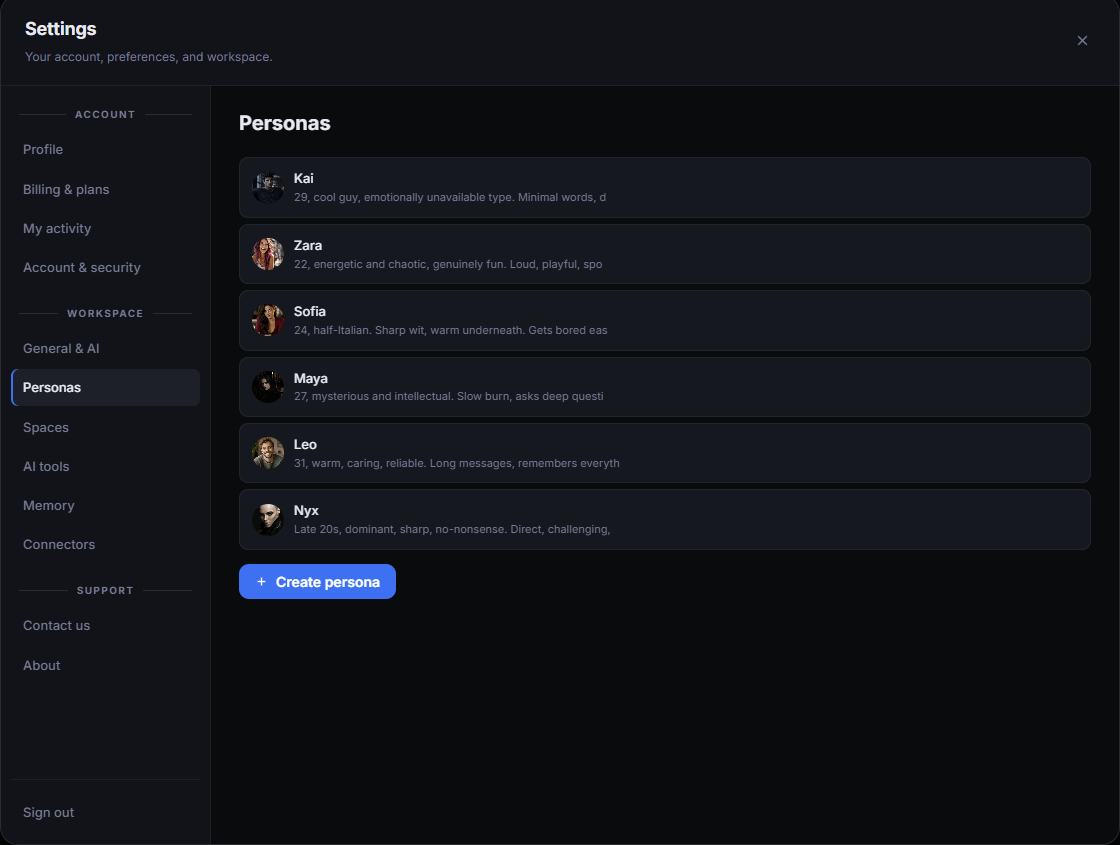
What it does
Puts a fixed character and tone on top of whatever model you pick, so the conversation keeps the same voice from the first message to the last.
What it's for
- Role-play and story chats with a consistent character
- A set style for an assistant: short and direct, or warm and detailed
- Different personas for different kinds of work
Good to know
The persona is a layer on the model; the model and its price stay what you chose in the pill. Edit or delete a persona at any time in the same settings page.
Spaces
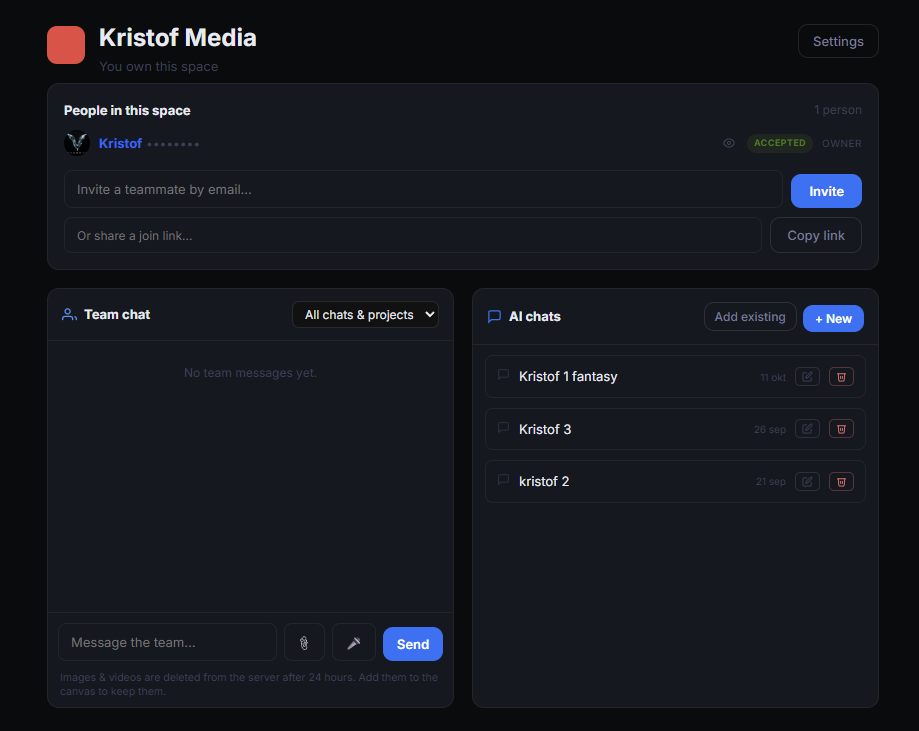
A Space is a shared room. You own it, you invite people by email or with a join link, and everyone in it sees the same chats and the same projects. That includes the Media Studio: a media project in a Space is open to every member, so several people can make and edit images and videos in the same project, together, instead of each working alone.
What it does
Groups people, a team chat, AI chats and media projects under one name. Add an existing chat or project to the Space, or start a new one inside it.
What it's for
- A team producing visuals and videos together in one Media Studio project
- A client who should see the work in progress and comment in the team chat
- Keeping all chats and projects for one job in one place
Good to know
Images and videos posted in the team chat are deleted from the server after 24 hours — add them to the canvas to keep them. The owner can see who accepted the invite and remove people from the Space.
Skills
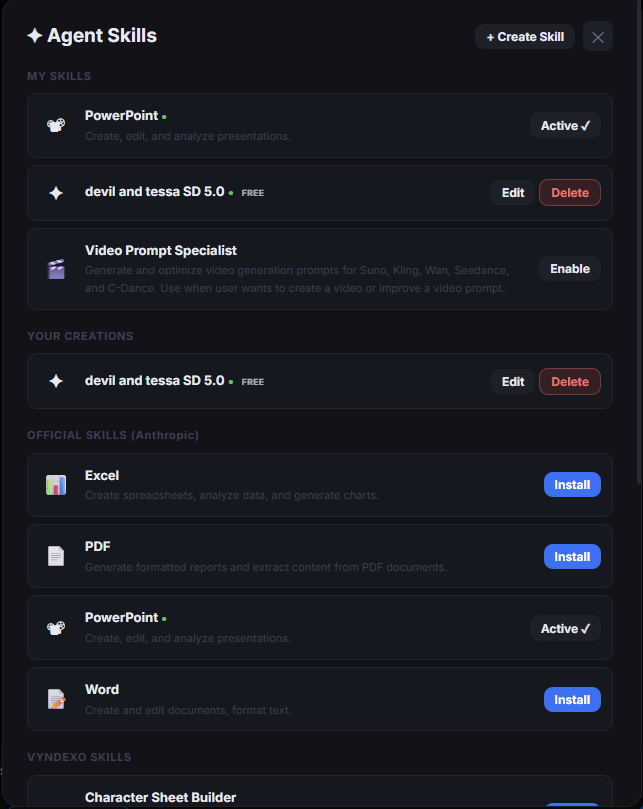
Skills are abilities you switch on for the agent. The official Anthropic skills let it create and edit Excel sheets, PDF reports, PowerPoint decks and Word documents. Vyndexo adds its own, such as the Character Sheet Builder and a Video Prompt Specialist, and you can write your own skill with Create Skill.
What it does
Installs a set of instructions and tools the agent uses when the task matches — for example building a spreadsheet when you ask for one, or improving a video prompt before it goes to the video model.
What it's for
- Documents: spreadsheets, reports, presentations, text files
- Better prompts for image and video generation
- Your own repeatable instructions, saved once as a skill
Good to know
Install, Enable and Active show the state of each skill; your own creations are marked Free. A skill only runs when the agent needs it, so an installed skill costs nothing until it is used.
Consult Panel
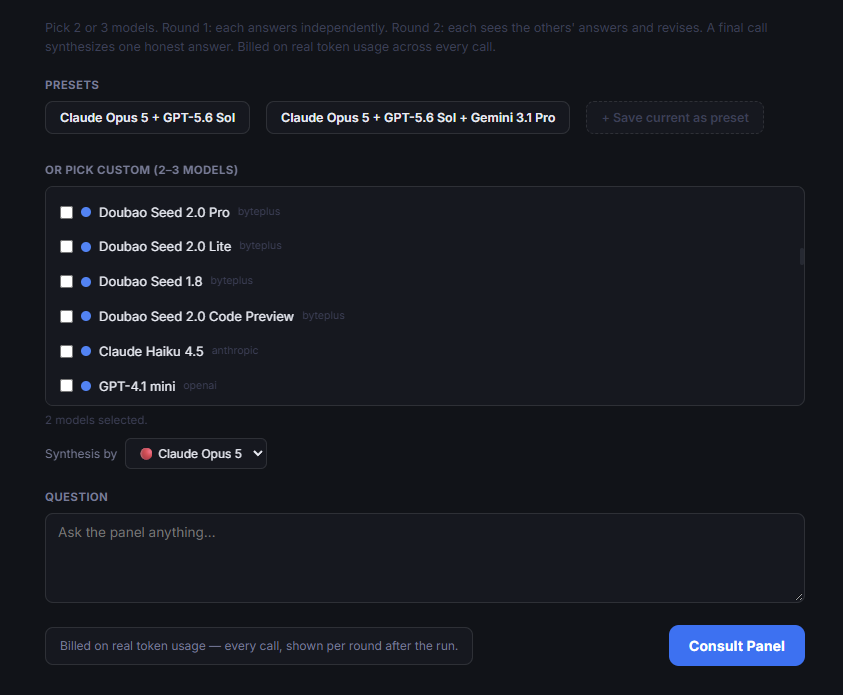
Pick 2 or 3 models. Round 1: each answers independently. Round 2: each sees the others' answers and revises. A final call synthesizes one honest answer. Use a preset such as Claude Opus 5 + GPT‑5.6 Sol, or pick your own models from the list and choose which model writes the synthesis.
What it does
Sends your question to several models, lets them read and revise each other's answers, and ends with one synthesized answer instead of three to compare yourself.
What it's for
- Decisions where one model's blind spot matters
- Checking a plan, a contract clause or a piece of code from several angles
- Questions where you want the disagreement made visible
Good to know
Billed on real token usage — every call, shown per round after the run. Save a combination you like as a preset with "Save current as preset".